-25%
Oferta de apertura
Operating the Osight XE AMRS red dot sight 1. Switching on and off By default, the red dot sight is ready to activate automatically when movement is detected. It can be switched on manually by pressing the plus or - button. To switch it off manually, press and hold the plus and - buttons simultaneously for at least 0.5 seconds. 2. Motion sensor The motion sensor is enabled from the factory. After 3 minutes without movement, the red dot sight enters sleep mode and reactivates...
Precio anterior (precio más bajo de los últimos 30 días)
IVA incluido, gastos de envío no incluidos.
Este producto no está en nuestro almacén, pero sí en el de nuestro proveedor. Lo pedimos justo después de tu pago; lo recibes en 5–10 días laborables.
Envío desde 9,95 € · gratis a partir de 150 €
Agotado temporalmente
Déjanos tu correo electrónico y te avisaremos una sola vez en cuanto este producto vuelva a estar en stock.
Te escribiremos en cuanto el producto vuelva a estar en stock.
Enviado con GLS en cuanto el producto llegue de nuestro proveedor (5–10 días laborables).
14 días de desistimiento y 60 días para devolver; la devolución se gestiona desde tu pedido.
By default, the red dot sight is ready to activate automatically when movement is detected. It can be switched on manually by pressing the plus or - button. To switch it off manually, press and hold the plus and - buttons simultaneously for at least 0.5 seconds.
The motion sensor is enabled from the factory. After 3 minutes without movement, the red dot sight enters sleep mode and reactivates when movement is detected. To change the sensor setting while the red dot sight is switched on, press the - button twice and then hold it for more than 3 seconds. One reticle flash confirms that the function has been enabled, while two flashes confirm that it has been disabled.
With the red dot sight switched on, hold the - button for more than 2 seconds. The individual reticles will begin cycling in the following order: 2 MOA dot → 2 MOA dot + 32 MOA circle → 6 MOA dot → 6 MOA dot + 32 MOA circle → 32 MOA circle. Release the button when the desired reticle is displayed. The default setting is the 2 MOA dot.
Briefly press the plus button to increase brightness and the - button to decrease it. A total of 10 levels are available. Levels 1 and 2 are intended for NV use, while the remaining 8 levels are intended for daytime use. When the highest or lowest level is reached, the reticle flashes once.
To deploy the backup rear sight, press the release button on the rear of the red dot sight. The sight will extend into its operating position. To fold it away, push it back into the body until it locks with an audible click.
If the battery voltage drops below 2.2 V..
En stock, envío inmediato
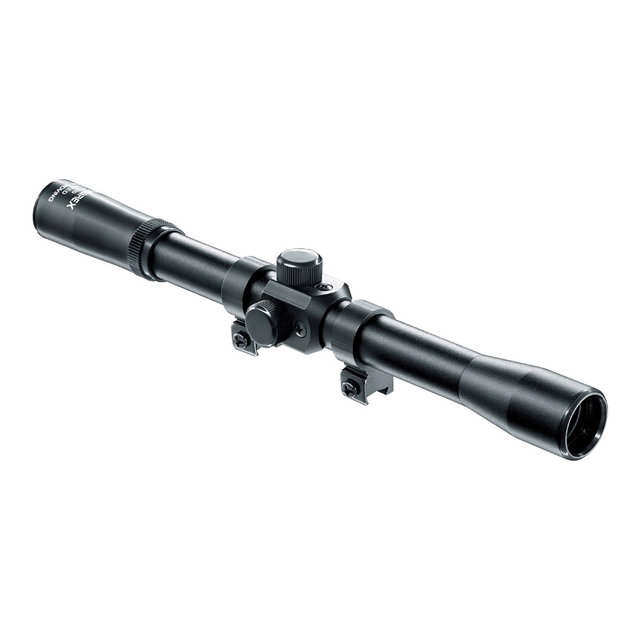
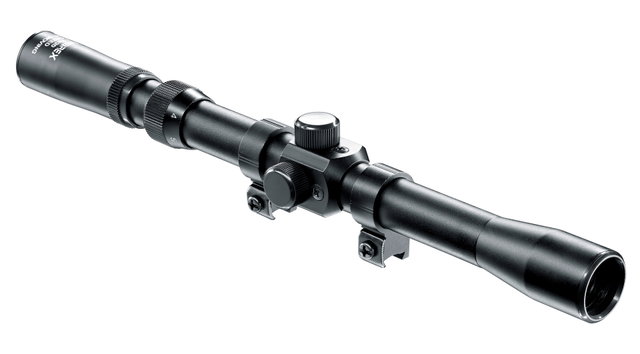
WALTHER (Umarex) Scope ZF 3-7x20Airsoft Bazaar B.V. · Frankrijkstraat 4, 5171 PR Kaatsheuvel · N.º de registro mercantil (KvK) 99363534 · N.º de IVA NL860943896B01
© Airsoft Bazaar - Todos los derechos reservados 2026